The AgentZ Mental Model
One hierarchy explains the whole platform. Learn it once and every other page in these docs falls into place.
The hierarchy in one diagram
An organization contains workspaces. A workspace contains users, models and agents. An agent owns the workflows that run inside it, and the sandboxes those workflows execute in.
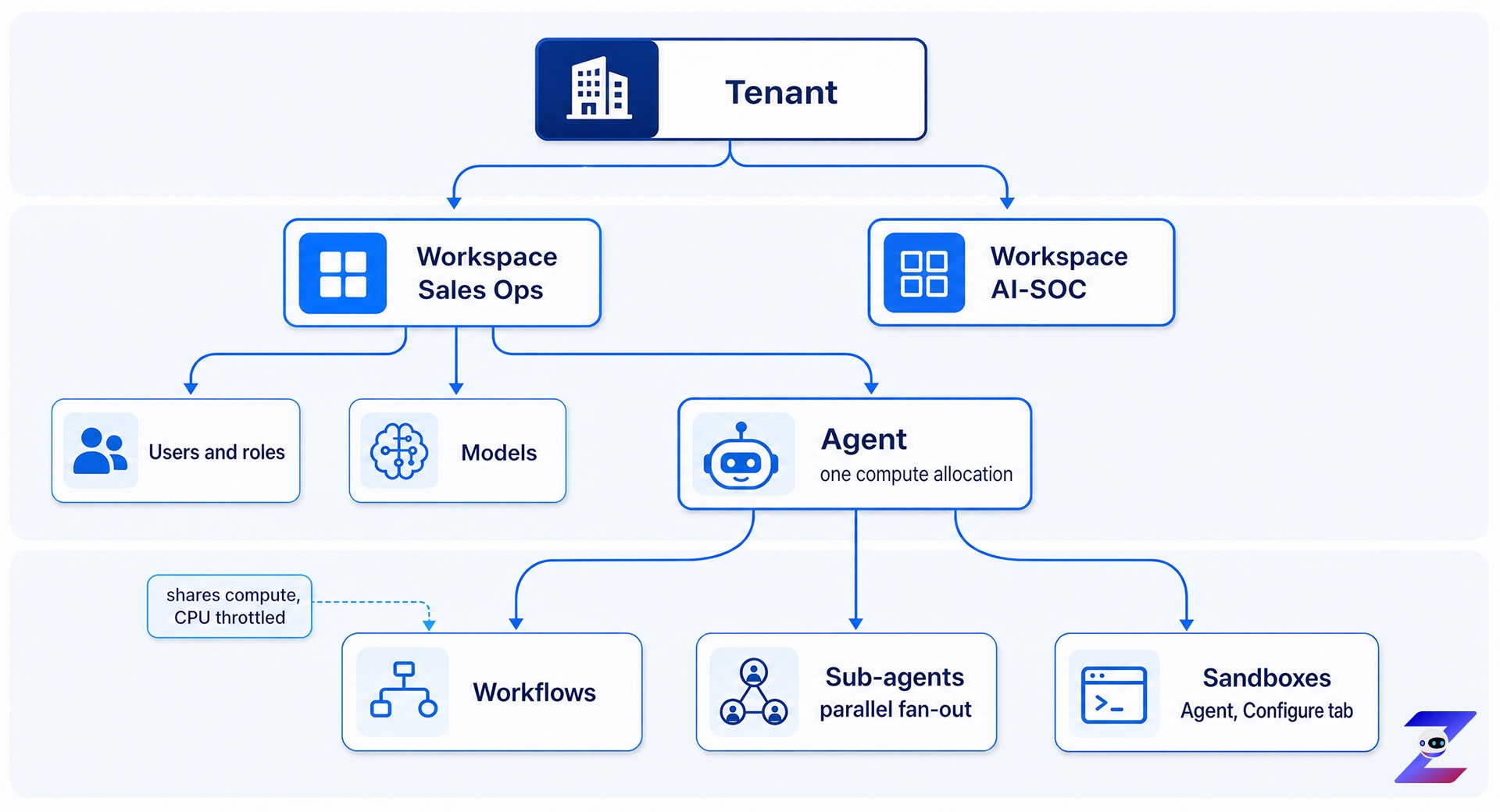
The one relationship worth stating twice: an agent is a compute allocation, not a separate thing that has compute. Everything an agent owns is scoped by that allocation.
Every relationship, with its cardinality
| Relationship | Type | What it means |
|---|---|---|
| Organization to Workspace | 1:N | Many workspaces per organization, commonly one per department |
| Workspace to Agent | 1:N | A workspace owns its users, models and agents |
| Agent to Compute | 1:1 | The agent is the compute allocation, not a wrapper around one |
| Agent to Workflow | 1:N | Workflows are owned by, and run inside, an agent |
| Agent to Sub-agent | 1:N | A main agent fans out to sub-agents that run in parallel |
| Agent to Sandbox | 1:N | Sandboxes are configured under Agent, on the Configure tab |
| Session to Workflow | N:N | Chat is global, not scoped to a single workflow |
| Compute to Workflow | 1:N, shared | Concurrent workflows share the agent's compute. CPU throttling handles contention. |
Two consequences fall out of that table.
Because compute is shared across concurrent workflows rather than reserved per workflow, a busy agent slows its own workflows down instead of failing them. Size the agent for peak concurrency, not for one run. And because a session is not tied to a workflow, chat history is not the place to look for a specific run's record. That lives in the trace.
Users and roles cutting across the tree
Coming soon
This section will cover whether a role granted at organization level applies in every workspace automatically, or you grant it again per workspace.
Who sees what
The super admin configures shared resources once. Everyone else inherits capability through a role, and never touches the underlying connector or inference-provider configuration.
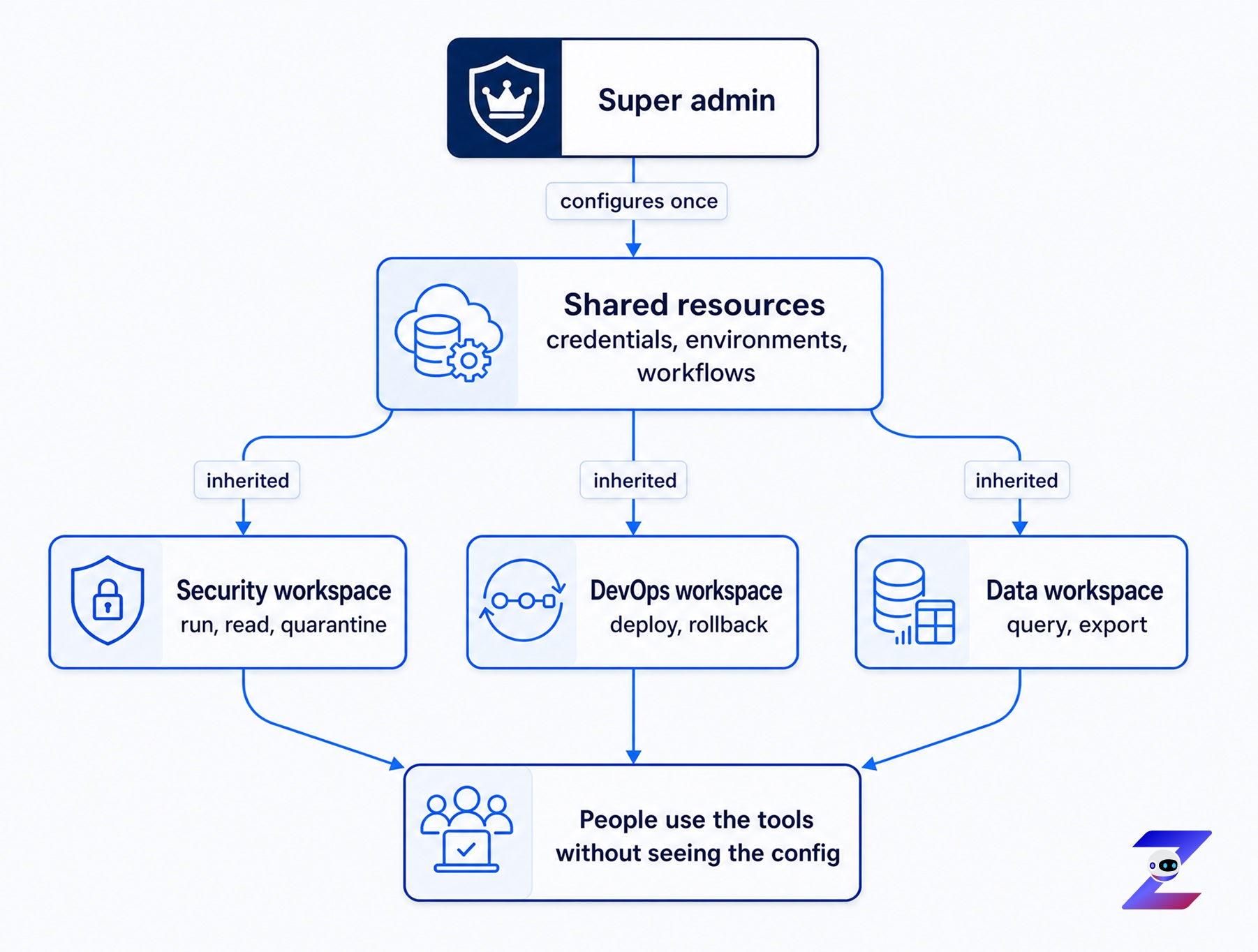
This is the whole reason a non-technical team can use the platform. A team such as HR uses preconfigured connectors without understanding or editing the MCP configuration behind them.
The super admin configures shared resources
Coming soon
This section will cover the full list of what counts as a shared resource, and where you set each one.
Users inherit capability through roles
Coming soon
This section will cover whether roles are fixed or custom, and who creates one.
How a single workflow uses the platform
A workflow draws on five things at once. Naming them in order is the fastest way to explain what AgentZ actually does.
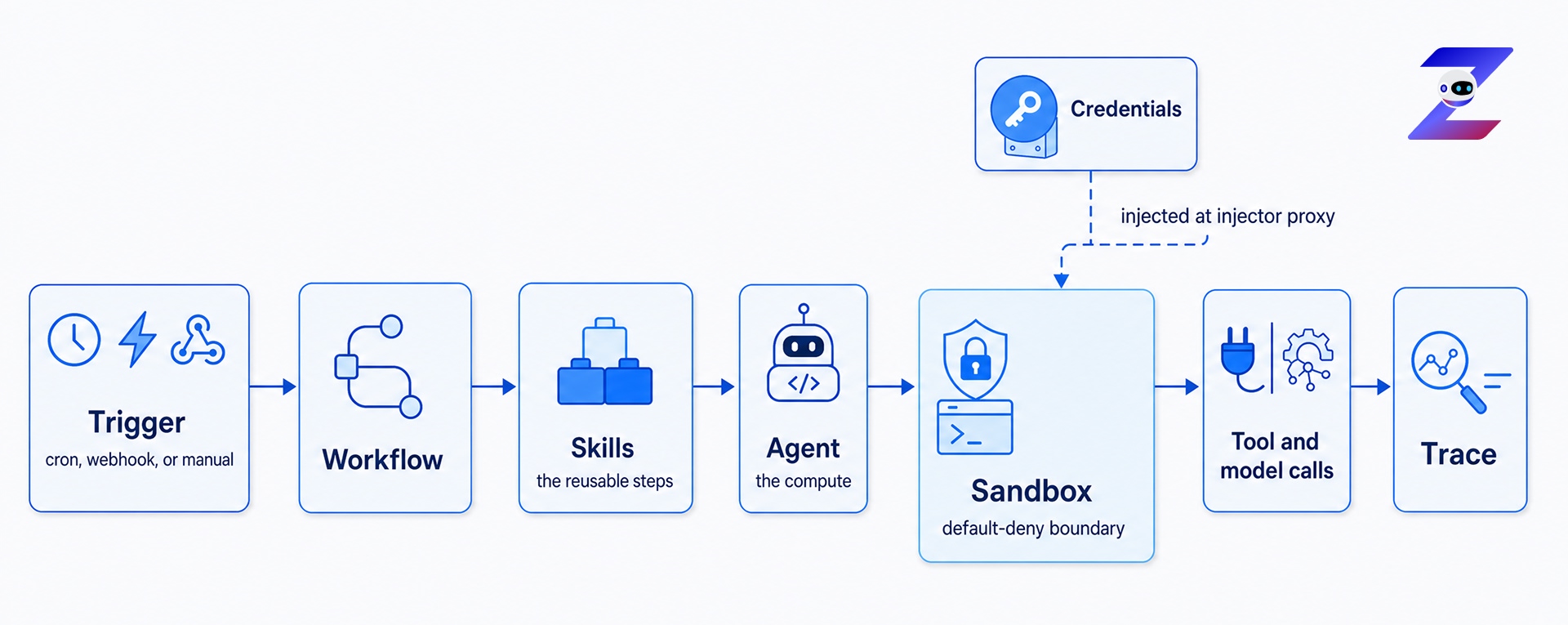
Read it right to left and it is a security story: nothing reaches a tool without passing the sandbox, no credential exists inside the agent, and nothing happens without landing in the trace.