Custom Tools
A custom tool is one of your scripts that an agent can call. You upload a .sh, .py or .js file and describe when to use it. Each tool belongs to one agent, so create the agent first. See Create an agent.
Create a Tool
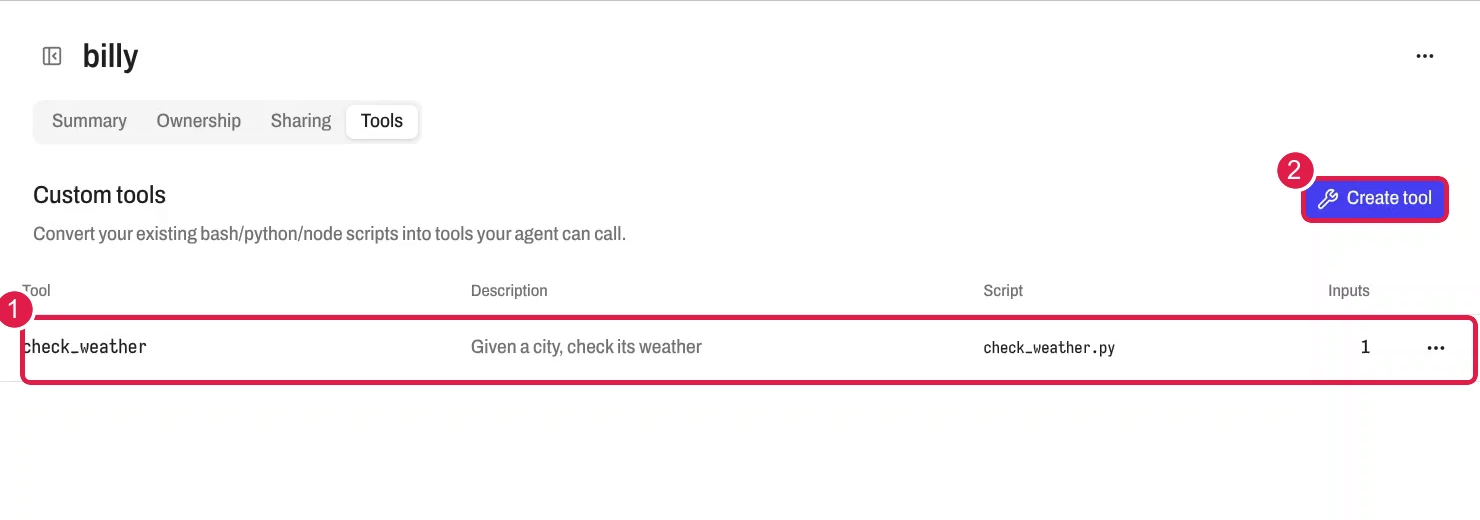
- Open the agent from Agents and select the Tools tab. The Custom tools heading appears.
- Select Create tool. The Create tool sheet opens.
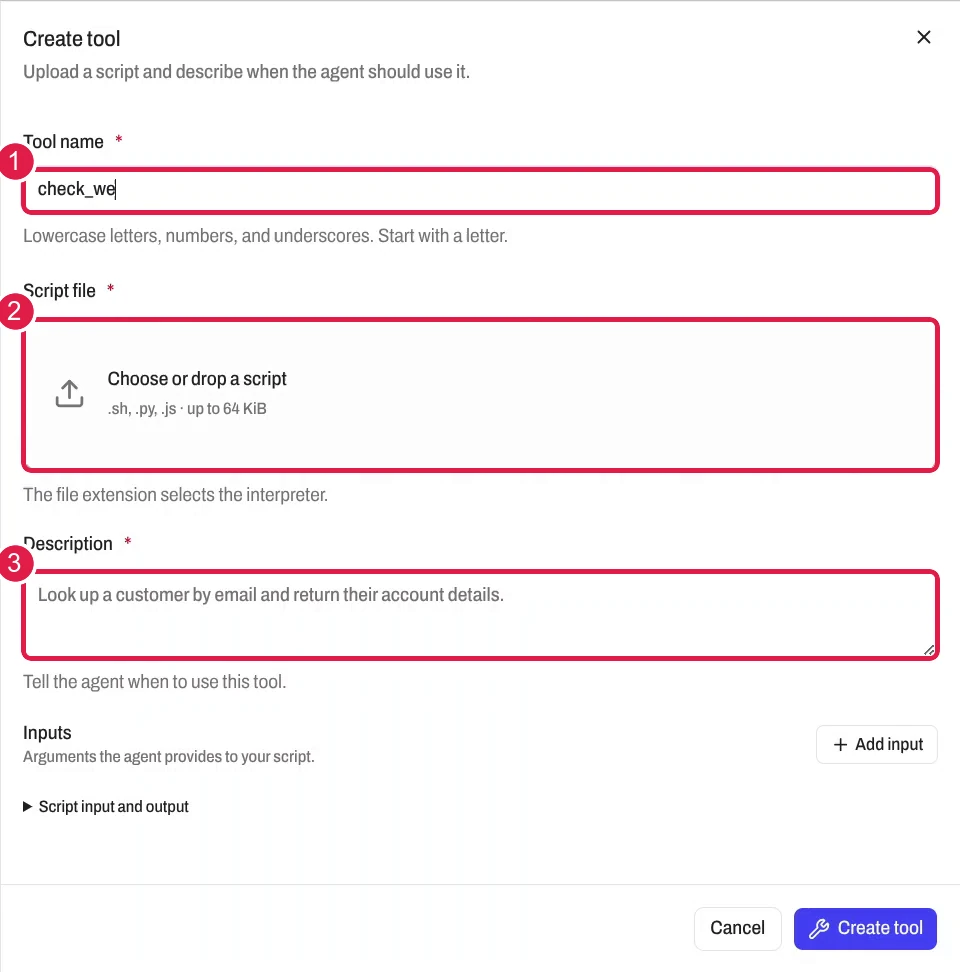
- Enter a Tool name, for example
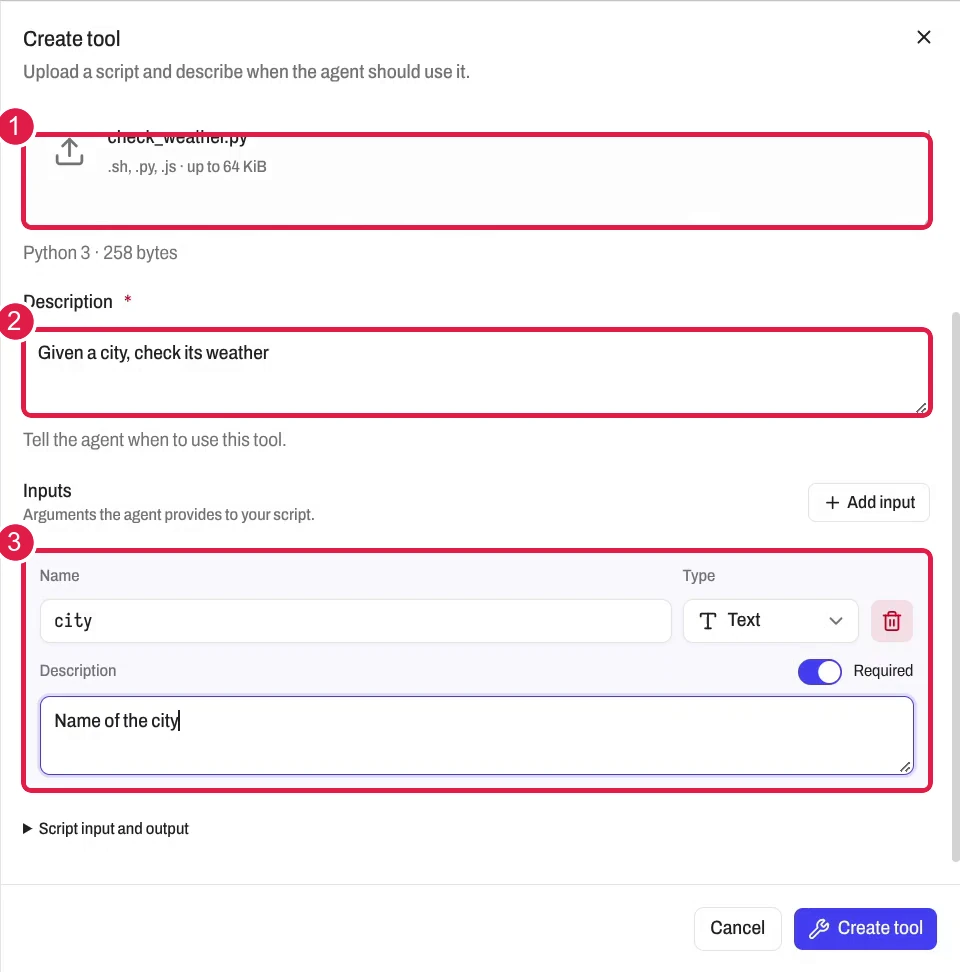
lookup_customer. Use up to 64 lowercase letters, numbers and underscores, and start with a letter. You cannot change it later. - Choose a Script file. The extension picks the interpreter: Bash, Python 3 or Node.js. The limit is 64 KiB.
- Enter a Description of 1 to 4,096 characters. Tell the agent when to use the tool.
- Select Add input for each argument. Set its name, type, description and Required switch. The types are Text, Number, Integer, Boolean and JSON. A tool takes up to 32 inputs.
- Select Create tool. The banner Applying tools shows while the agent updates. The tool is ready when the banner goes away and the tool appears in the table.
An agent holds up to 32 tools. All scripts together stay under 256 KiB. A tool name cannot match a built-in name such as bash, read, edit, skill, memory or journal. It cannot start with gateway_.
Your Script Reads Its Inputs as JSON
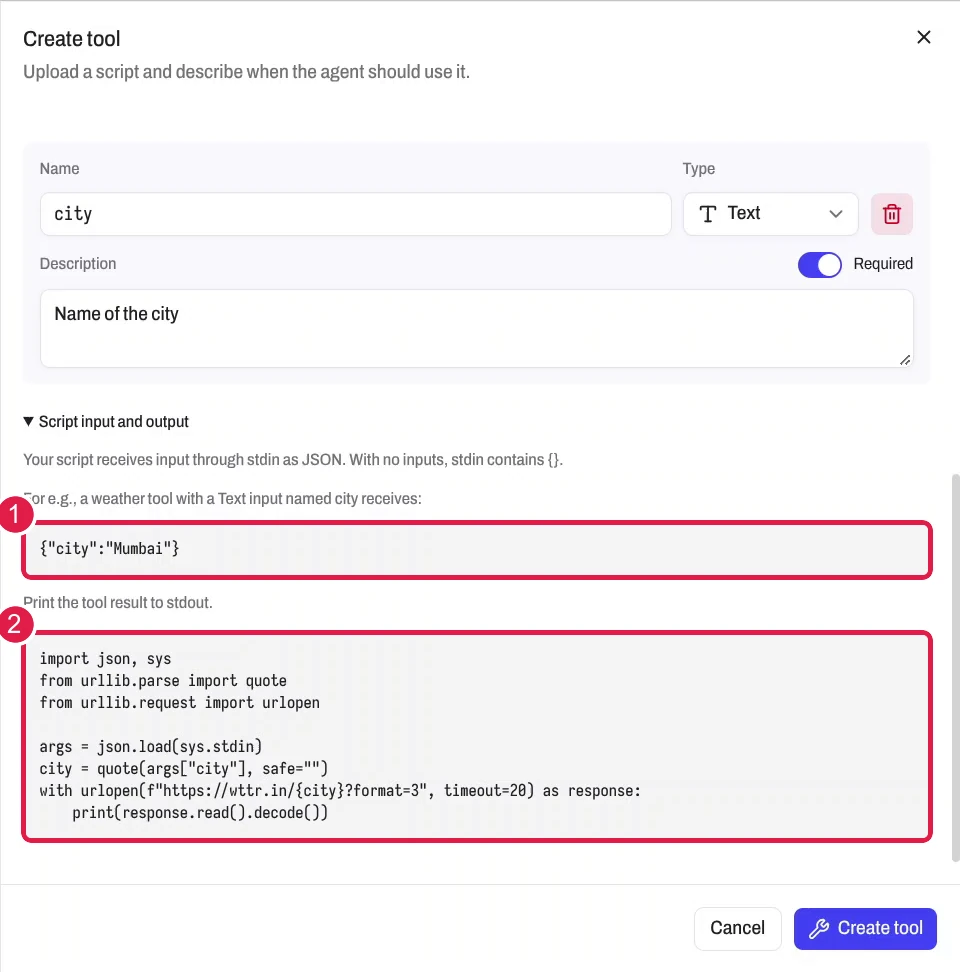
AgentZ sends the inputs to your script as one JSON object on stdin. With no inputs, stdin holds {}. Print the result to stdout.
For a tool with a Text input named city, stdin holds:
A Python script reads it like this:
import json
import sys

args = json.load(sys.stdin)
print(f"The tool received the city {args['city']}")
The script runs in the agent's container, in the agent's working directory. python3 and nodejs are in the Required package set. See Sandbox packages.
Exit Codes and Output Size Decide the Result
- Exit code 0 returns your stdout to the agent as the tool result.
- A non-zero exit code returns an error. The agent receives stderr, or stdout when stderr is empty.
- Output over 64 KiB stops the process and returns an error.
Warning
A custom tool runs without a consent prompt. A script can change files in the agent's container. Read each script before you upload it.