Organizations and Workspaces
An organization holds your people and your shared resources. A workspace sits inside an organization and holds the agents and secrets for one team or job. A sandbox can live in either place.
Organization
  Shared resources: sandboxes, skills, MCP connections, inference providers
  Workspace
    Agents
    Secrets
    Sandboxes (its own, plus inherited ones)
Sign-Up Creates Your Organization
AgentZ creates an organization for you at sign-up and makes you its Superadmin. A Superadmin is the built-in role with full access to the organization. You cannot create an organization by hand. You can belong to more than one organization and switch between them in the user menu.
An organization has up to 100 members. Its members, teams and roles are managed at the organization level. See Roles and teams.
A Workspace Holds the Work
Only a Superadmin can create a workspace. You pick the type when you create it, and you cannot change it later. AgentZ offers two types:
- General purpose: agents, workflows, triggers and dashboards. The quickstart uses this type.
- Coding (Preview): adds GitHub projects and Git worktrees. It has no workflows, dashboards or persistent memory.
These items live only in a workspace: agents, secrets, workflows, triggers, dashboards and Lens. A workflow is a saved series of steps that an agent builds in chat. A trigger starts a workflow on a schedule or by webhook. Lens is the page that shows agent activity. See Security model.
A Workspace Can Inherit Organization Resources
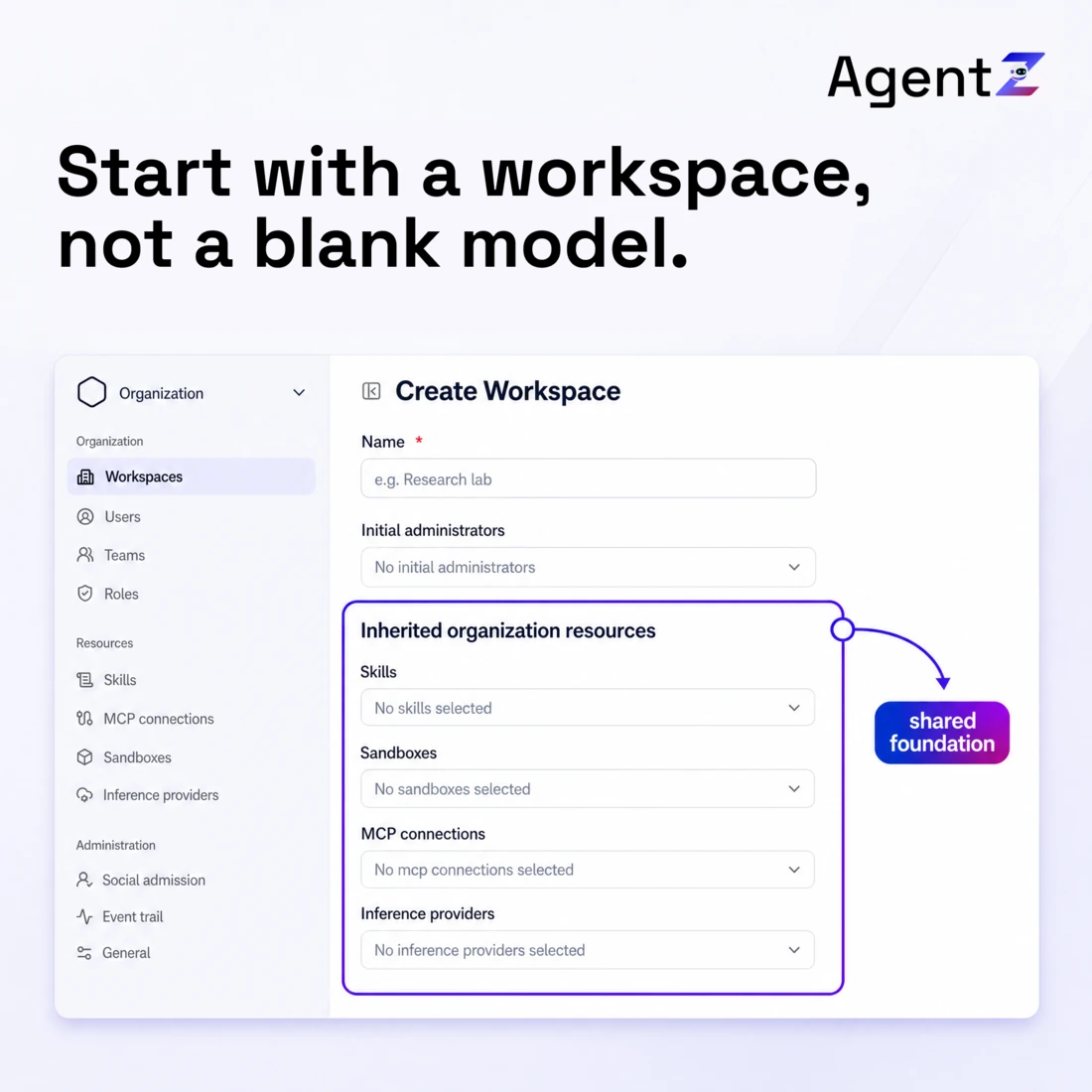
Skills, sandboxes, MCP connections and inference providers exist at both levels. An MCP connection is a link to an outside tool server. An organization resource carries the badge Organization. A workspace resource carries the badge Workspace. Add a resource to the organization to share it with many workspaces.
When you create a workspace, you choose which organization resources it inherits. An agent in the workspace can use an inherited sandbox. The workspace sees inherited resources live and read-only. A resource you add to the organization later does not appear in a workspace until you select it.
Roles Decide Who Can Do What
A user with no role and no team has no access. Two built-in roles exist: Superadmin and Workspace Admin. You build every other role. See Roles and teams for how to do it.