Evaluations
An evaluation runs one workflow on several models and scores each run, so you can compare the models. A judge is a model that grades each run.
You need a saved workflow on an agent in a General purpose workspace. Ask the agent in chat to create one first.
Note
The app shows a Preview badge beside the tabs on the Evaluations view. Scoring and layout can change.
Warning
An evaluation runs your workflow. Runs can change shared files and services.
Start an Evaluation
- Select Workflows in the workspace sidebar.
- Pick an agent in Agent and a workflow in Workflow.
- Click the Evaluations tab. The tab shows "No evaluations yet" until you run one.
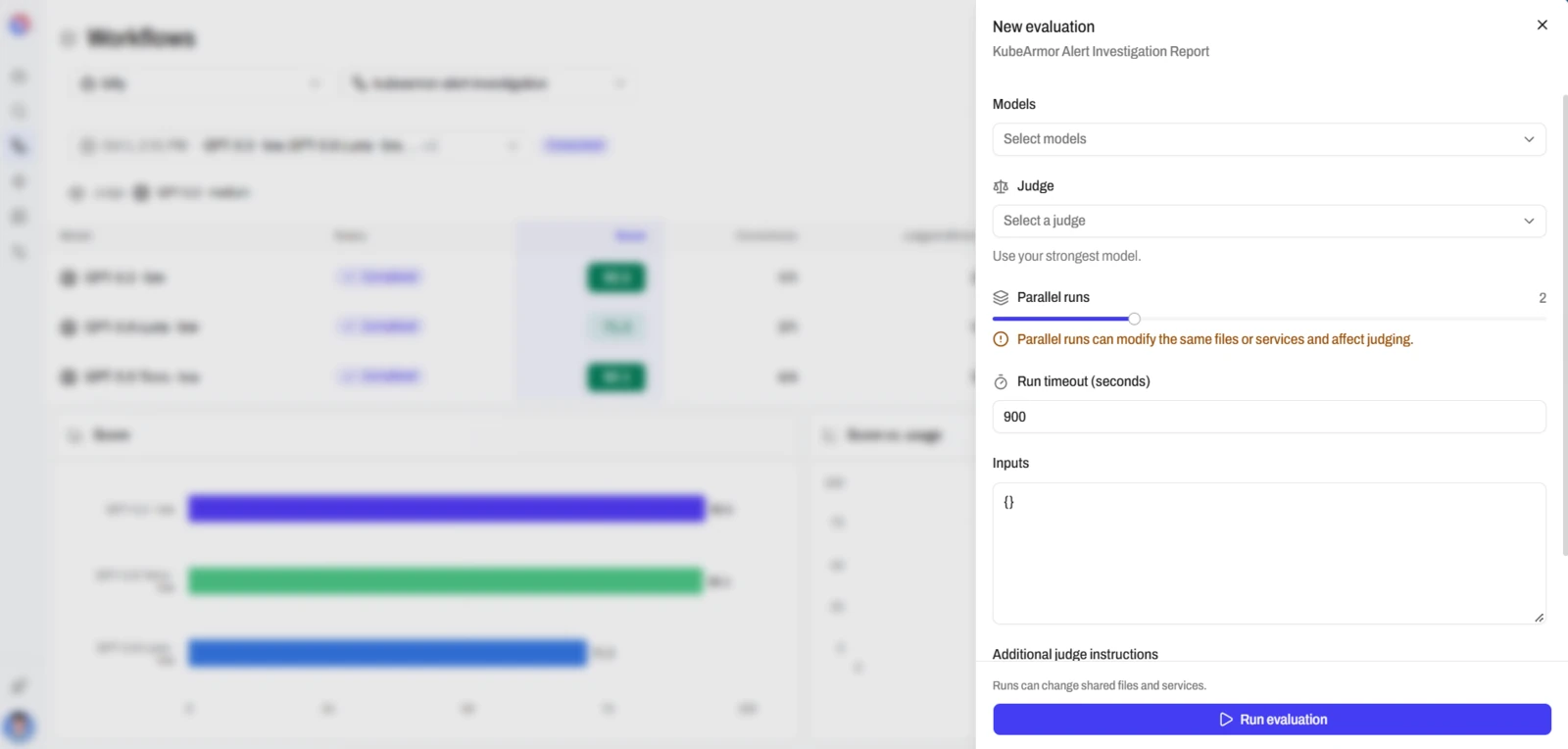
- Select New evaluation. The New evaluation sheet opens.
- Fill in the fields from the table below.
- Select Run evaluation. The state badge shows Running, then Completed.
| Field | What to enter |
|---|---|
| Models | 1 to 8 models to compare. |
| Judge | The model that grades each run. The hint says "Use your strongest model." |
| Parallel runs | 1 to 5 runs at the same time. More than 1 can change the same files and affect the judging. |
| Run timeout (seconds) | 1 to 604,800. The default is 900. |
| Inputs | One field per workflow input, or a JSON box. |
| Additional judge instructions | Optional. Describe the output you expect. |
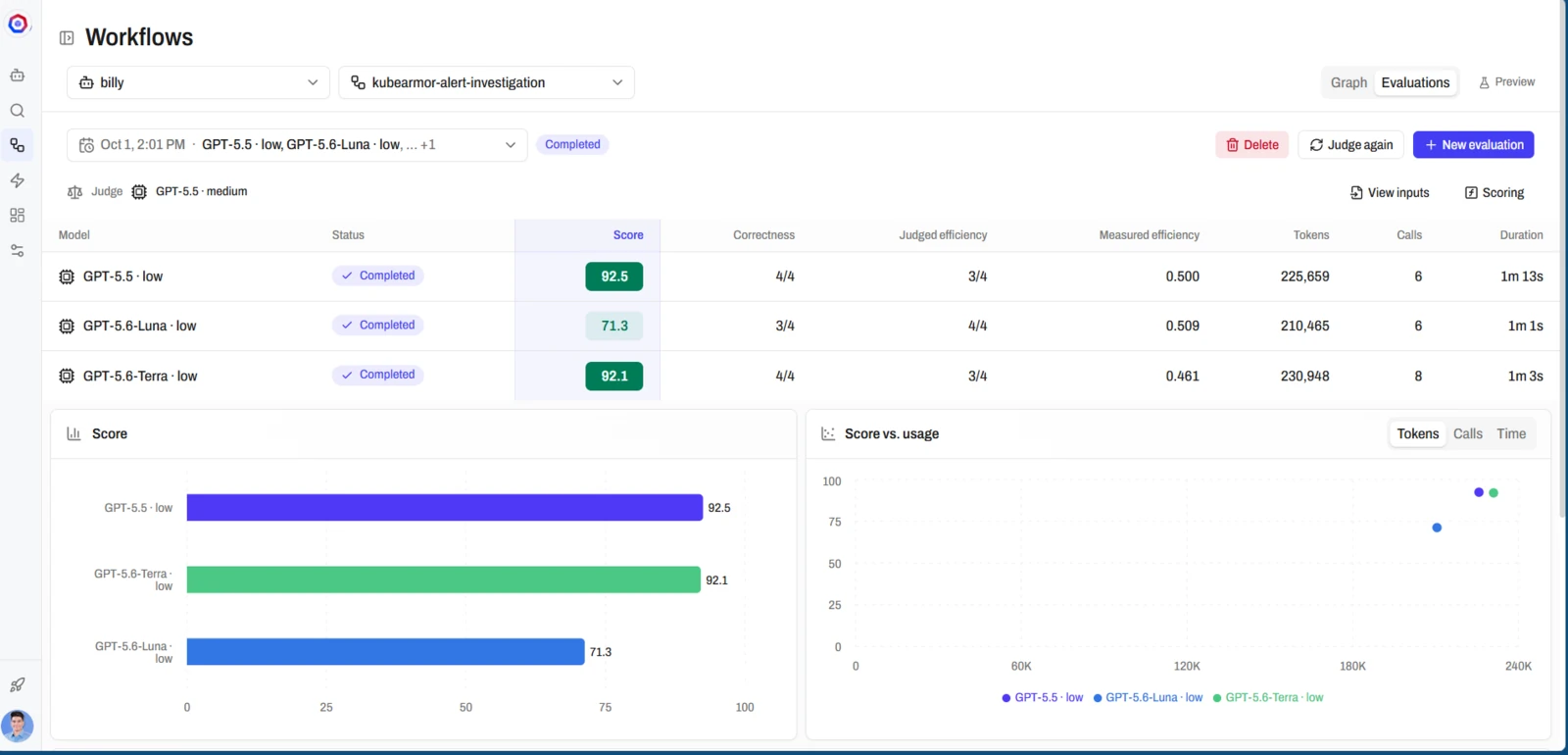
Each Run Gets a Score From 0 to 100
The results table lists each model with its Score, Correctness, Judged efficiency, Measured efficiency, Tokens, Calls and Duration. Three charts show Score, Score vs. usage and Model comparison. Click a model to read its Judgment and its Transcript.
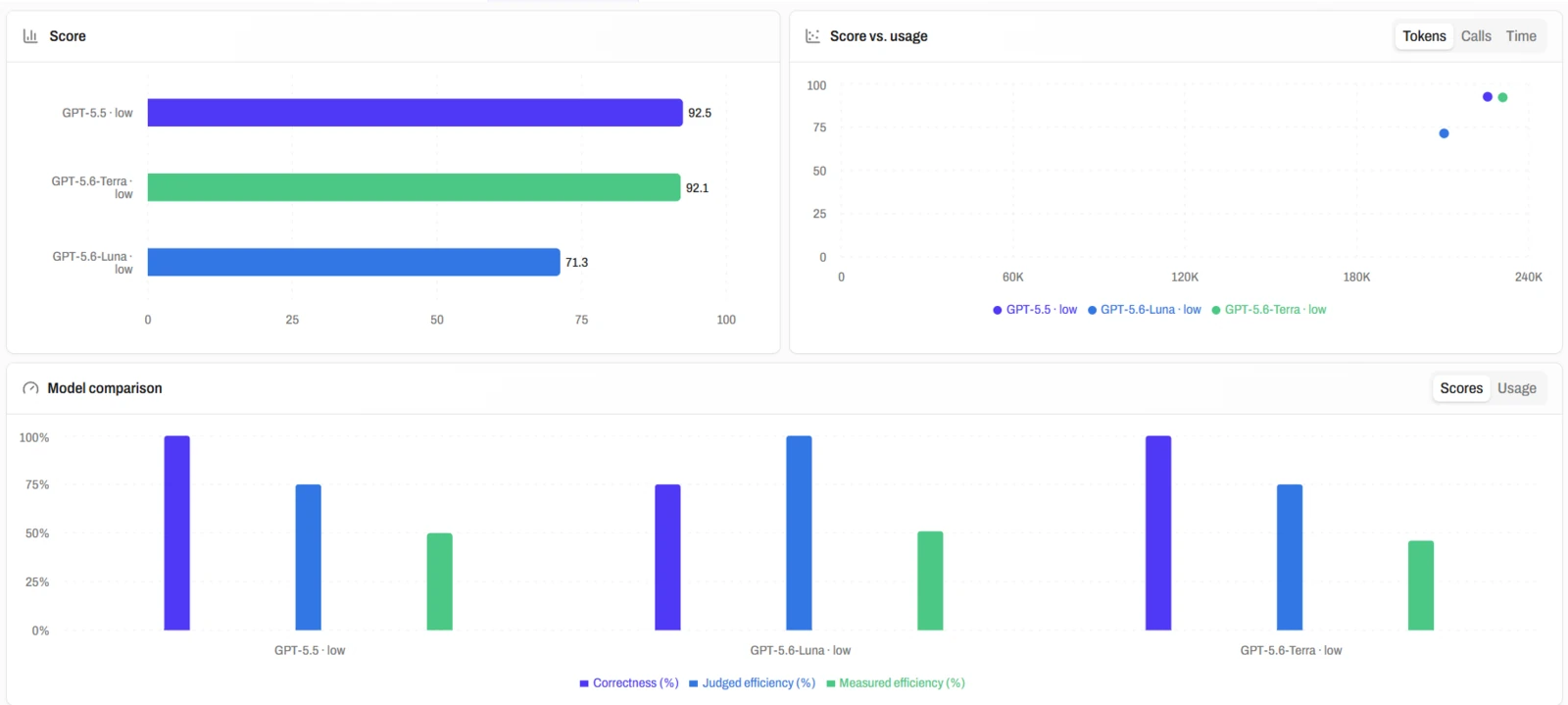
The judge rates correctness and efficiency from 0 to 4. AgentZ computes the score with this formula:
- Q is the judged correctness, the rating divided by 4.
- J is the judged efficiency, the rating divided by 4.
- D is the measured efficiency, from the tokens and tool calls of the run. It is between 0 and 1.
A run scores 0 when it did not succeed or when the correctness rating is below 3. Select Scoring in the results to see the formula in the app.
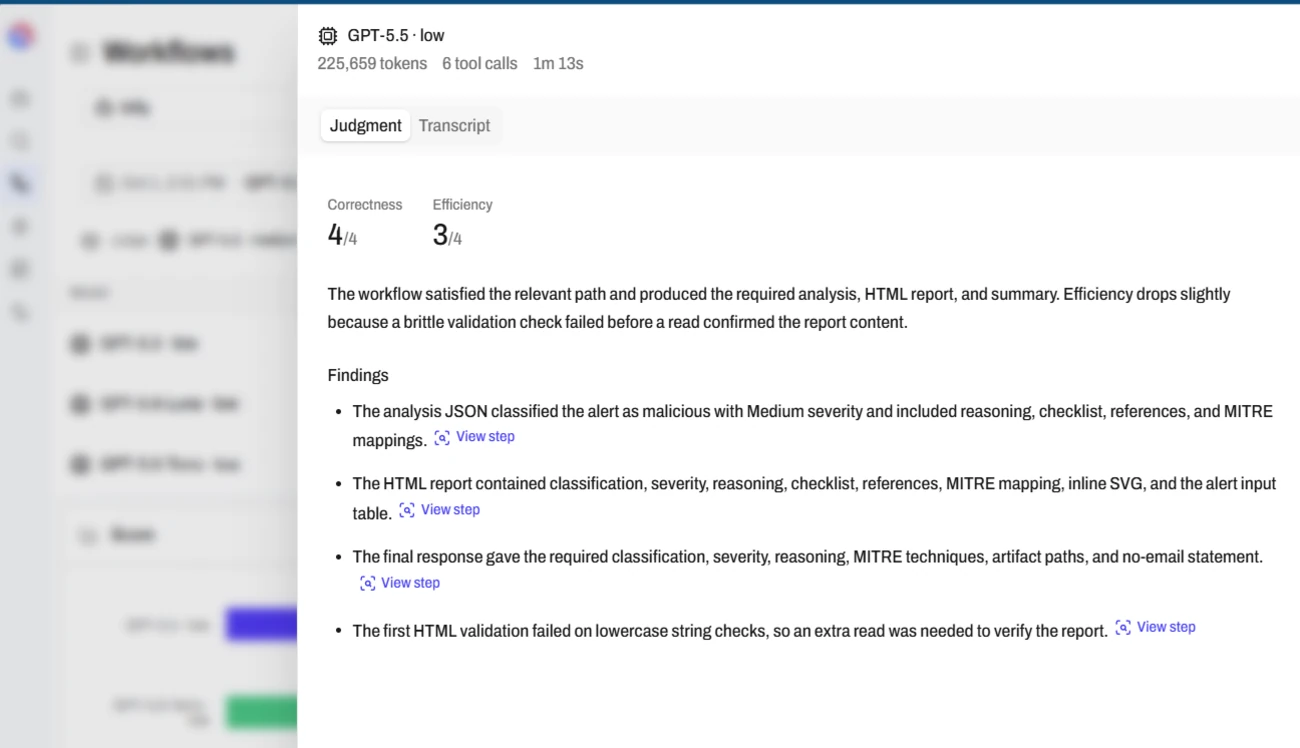
Judge Again Re-Scores Saved Transcripts
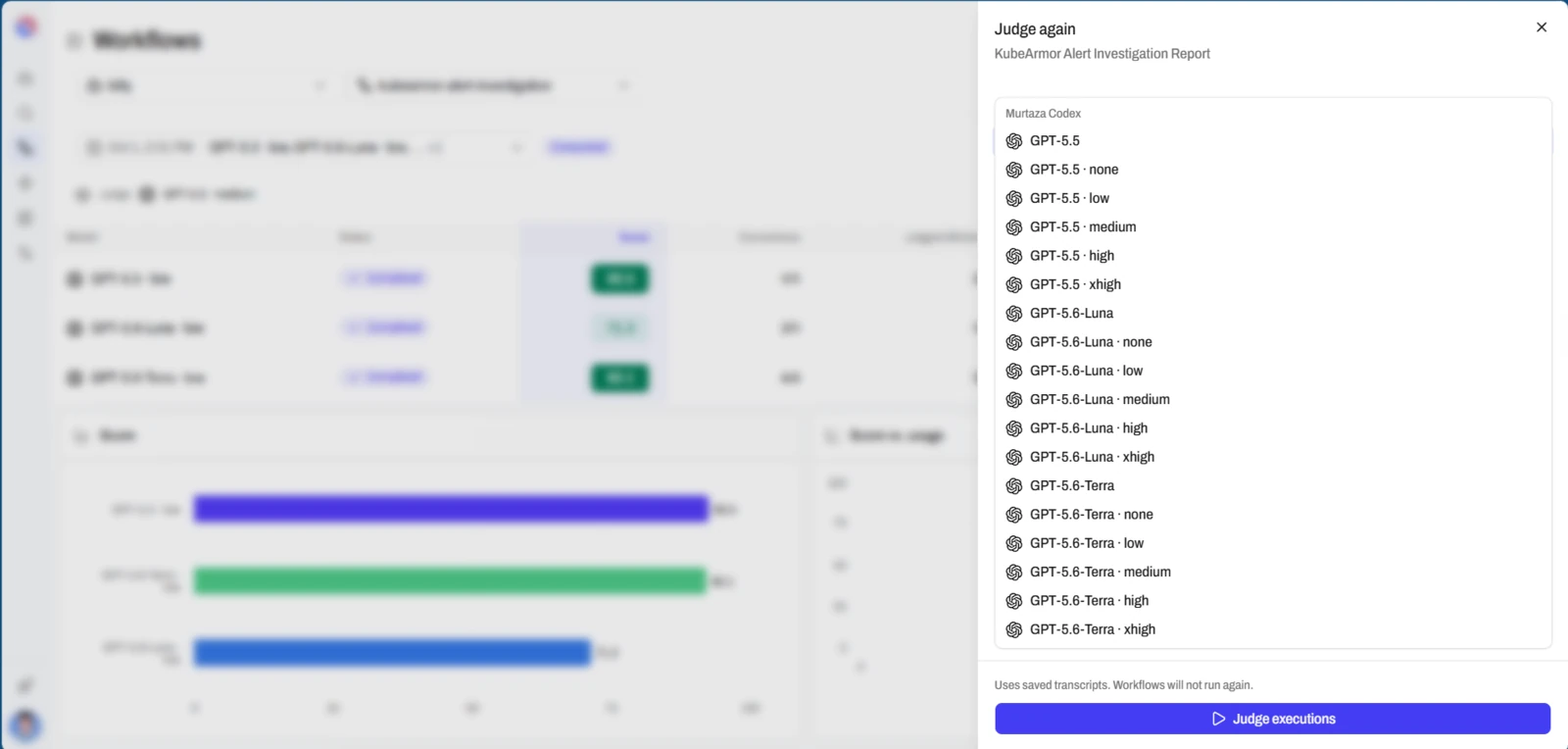
Select Judge again on a completed evaluation. Choose a judge and add judge instructions. Select Judge executions. The sheet says "Uses saved transcripts. Workflows will not run again." Use it to try a different judge without running the workflow again.
Next Step
Continue with Guides.