Audit and Observability
AgentZ gives you two views. Lens shows what agents did. Event Trail shows who changed the setup.
Lens Shows What Agents Did
Lens is in the workspace sidebar. You need the Lens read permission in a role that you hold.
Lens has three pages.
| Page | What it shows |
|---|---|
| Traces | One row per trace, with Duration, Execution and Tokens |
| Runtime telemetry | Process, file and network activity, on the Process, File and Network tabs |
| MCP activity | A graph that links each agent to its MCP connections and their tools |
Agents send traces to AgentZ by default. You do not turn telemetry on.
Read a Trace
- Select Lens → Traces.
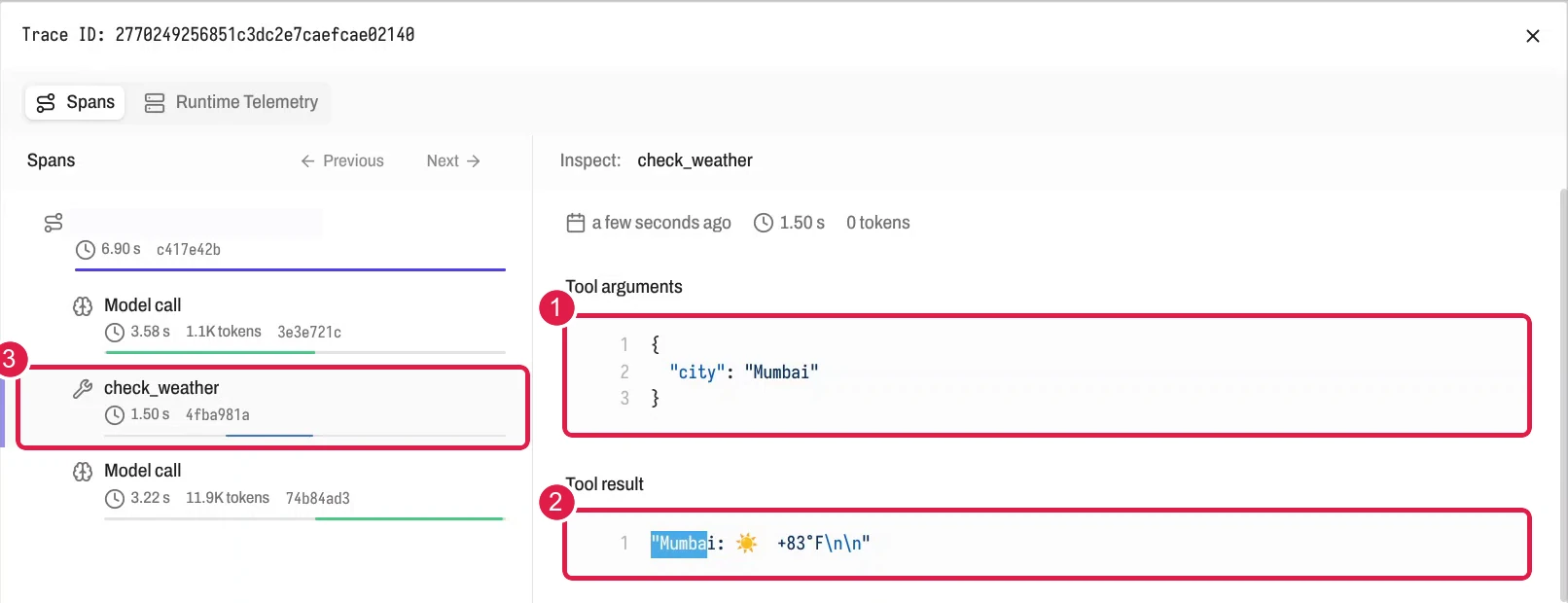
- Select a row. A row is one trace, and a trace is made of spans. A span is one step, such as a model call or a tool call. The inspector opens and lists the spans.
- Select a span. Read the Input, Output, Tool arguments and Tool result panels.
A panel shows only when the span holds that data. The inspector can also show Error, Usage, Span attributes and Resource attributes.
Check Whether the Network Blocked a Call
- Select Lens → Runtime telemetry, then the Network tab.
- Find the row by Destination domain, Destination port or Protocol.
- Read the Action value. It is Allowed or Blocked.
A Blocked row means the network policy of the agent denied the call. If the agent needs that host, add it to the sandbox. See Allowed hosts and the Security model.
Event Trail Shows Who Changed the Setup
Event Trail is a log of admin changes. It exists at two levels. A Superadmin opens the organization log from the organization sidebar. The log of one workspace is under Workspace settings.
Each row has a Time, an Actor, an Event, a Target and a Result. The actor is a user, an API key or the system. The result is succeeded, denied or failed.
Examples of recorded events are workspace creation, invitation acceptance, role changes and membership changes. A denied attempt to create a workspace appears as a denied event.
AgentZ keeps Event Trail rows for 30 days.
Next Step
Continue with Hosted or self-hosted.